

Report a Bug
Tell us when something isn't working, with the details our team needs to help you.
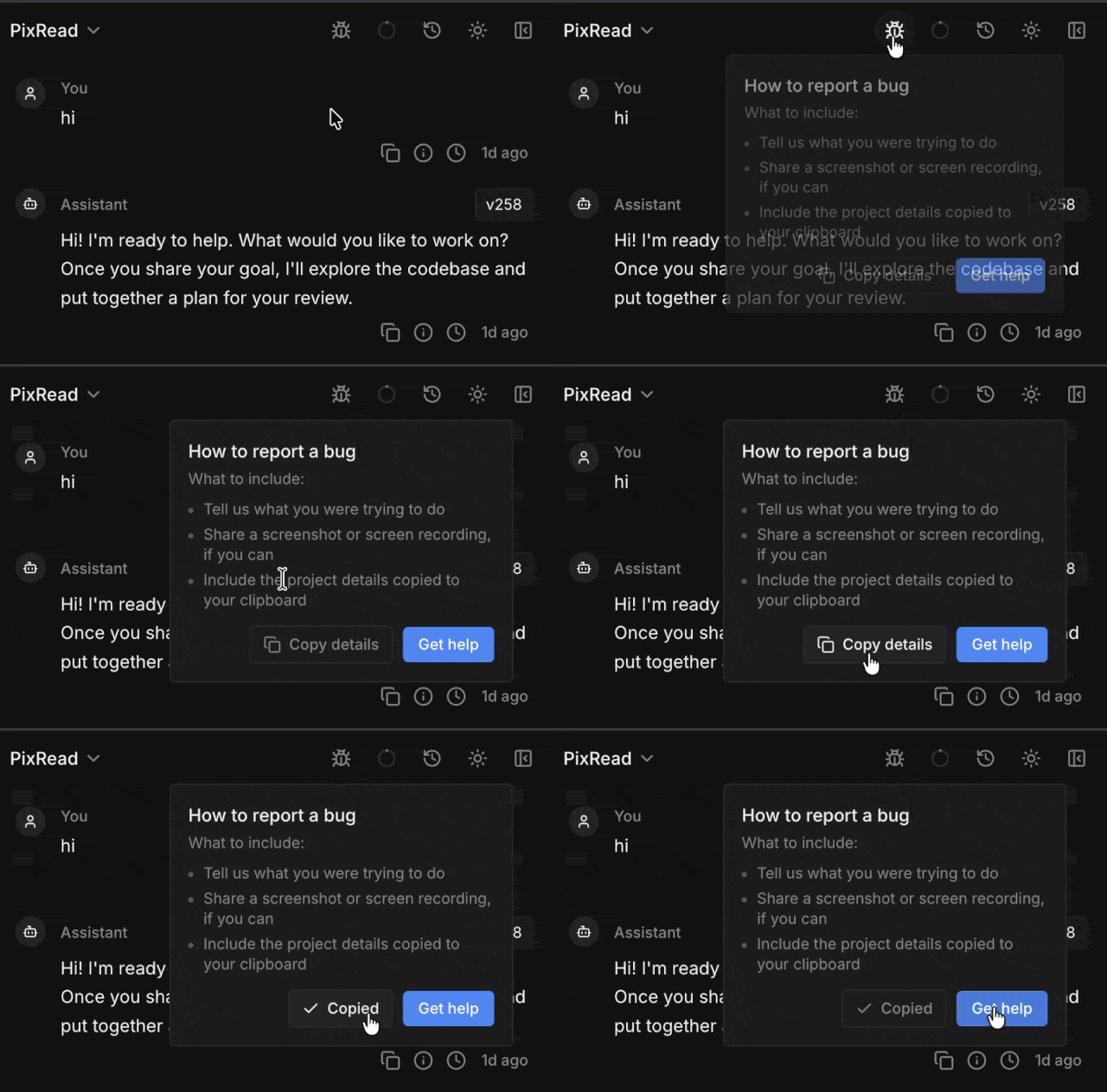
Something broken in Ideavo? The bug icon in the chat header has everything you need to report it.
How It Works
- Click the bug icon in the chat header.
- Copy details puts your project's identifiers on the clipboard.
- Get help opens our Discord — paste the details along with what went wrong.

Always paste the copied details. They point us straight at the right project, sandbox, and session — without them, the first thing we'll do is ask you for them.
If it's your app that's misbehaving rather than Ideavo itself, just tell the agent what's wrong and let it fix it.