

BYOK (Bring Your Own Key)
Integrate your own API keys or subscriptions from OpenAI, Anthropic, OpenRouter, and more — for full billing control and model flexibility.
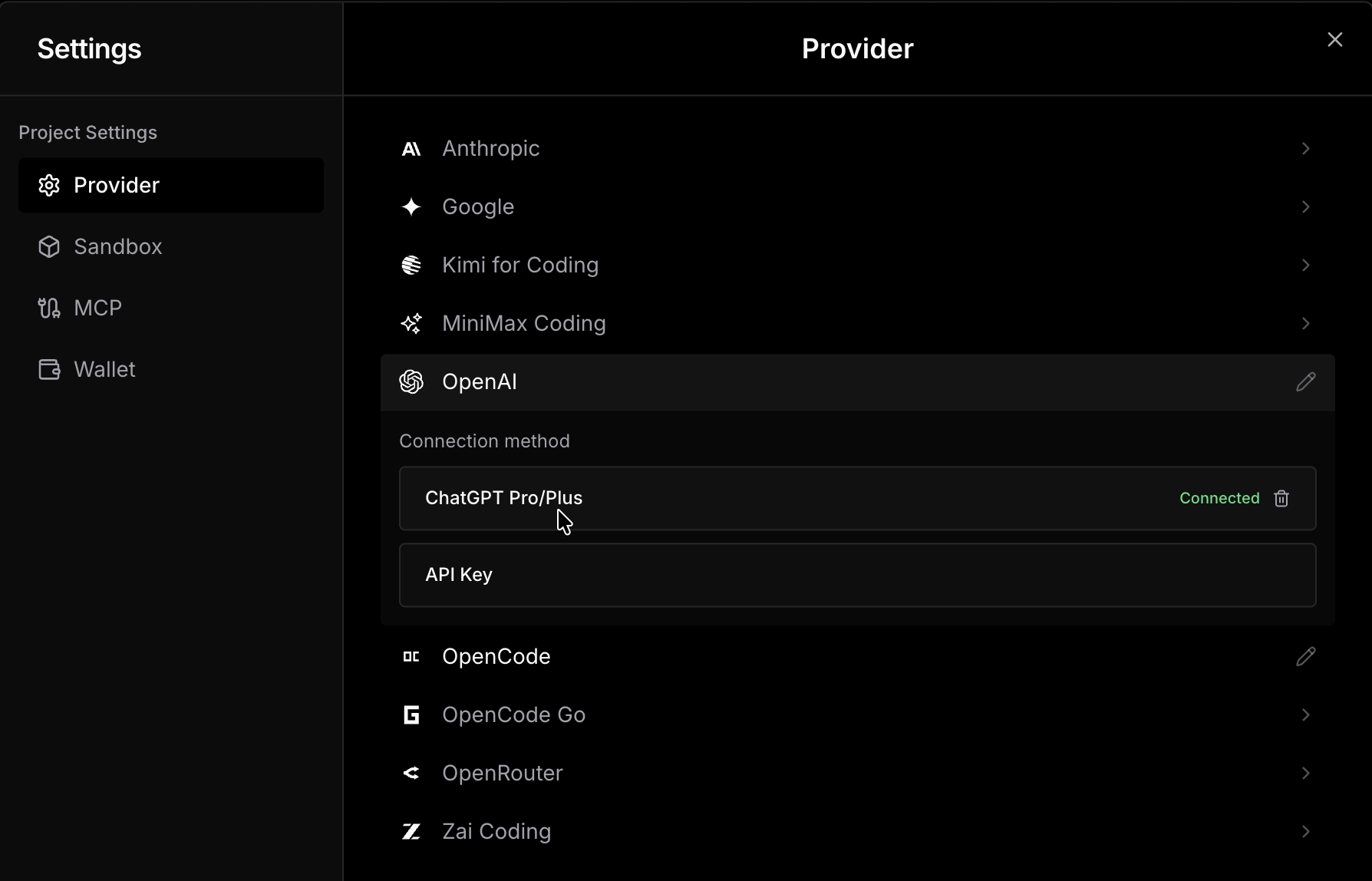
BYOK (Bring Your Own Key) lets you connect your own API keys or existing provider subscriptions to Ideavo. Once connected, your usage is billed directly by the provider — it doesn't draw from your Ideavo credits.
Supported Providers
A few of the major providers you can connect:
Anthropic
Access Claude models directly through your Anthropic API key.
OpenAI
Connect via API key or link your ChatGPT Plus/Pro subscription via OAuth.
OpenCode
Connect your OpenCode subscription for seamless model access.
OpenRouter
Route requests across hundreds of models through a single key.
Ideavo supports many more providers. Visit models.ideavo.ai for the full list, or check Settings → Configurations inside the app to see every provider currently available to connect.
Need to connect local models?
BYOK is for supported providers that Ideavo already knows how to connect. If you want to use a custom provider, self-hosted endpoint, custom Base URL, or your own model list, use Custom Provider instead.
Connection Types
Providers connect in one of two ways depending on what the provider supports.
API Key
Most providers — including Anthropic, OpenRouter, and others — connect via a direct API key. You generate a key from your provider's dashboard, paste it into Ideavo, and requests are routed through your account at your provider's standard rates with no platform markup.
OAuth & Subscriptions
Some providers support connecting via OAuth, which links your existing subscription rather than requiring a raw API key.
OpenAI is a notable example: connecting via OAuth with a ChatGPT Plus or Pro subscription grants access to models like Codex that are only available to active subscribers — models you wouldn't be able to reach with a standard API key alone.
OAuth connections never expose your account credentials. Ideavo only receives a scoped access token with the minimum permissions required to route model requests.
Benefits
Direct billing
Pay your provider directly at their API rates. No platform markup, no middleman.
More models
Access any model your provider offers, including subscription-gated models like Codex via OpenAI OAuth.
Use what you already pay for
Fully utilize subscriptions you already have instead of paying for the same access twice.
Revoke anytime
Remove or rotate a key instantly from Settings without affecting your projects or history.
How to Connect a Provider
Open Settings from the sidebar and navigate to Configurations.
Select the provider you want to connect from the list of available integrations.
Choose your connection method — API Key or OAuth — depending on what the provider supports, then follow the prompts.
Save. The provider is now active and will be used for any models routed through it.
You can configure multiple providers simultaneously. Ideavo routes each request to the correct provider based on the model you select.
Security
- All API keys and OAuth tokens are end-to-end encrypted and stored securely within Ideavo. - Keys are never exposed in plain text and cannot be viewed after saving. - OAuth tokens are scoped — Ideavo only requests the permissions needed to route model requests. - You can remove or rotate a key at any time from Settings → Configurations without affecting your project data.