

Custom Domain
Point your own domain to your Vercel or Railway deployment directly from Ideavo.
Once your project is deployed, you can attach a custom domain to it from the post-deployment panel. Ideavo links the domain through your active publish provider and shows the DNS records required by that provider.
Accessing Custom Domains
Open the Publish panel after a successful deployment and click Custom Domains.
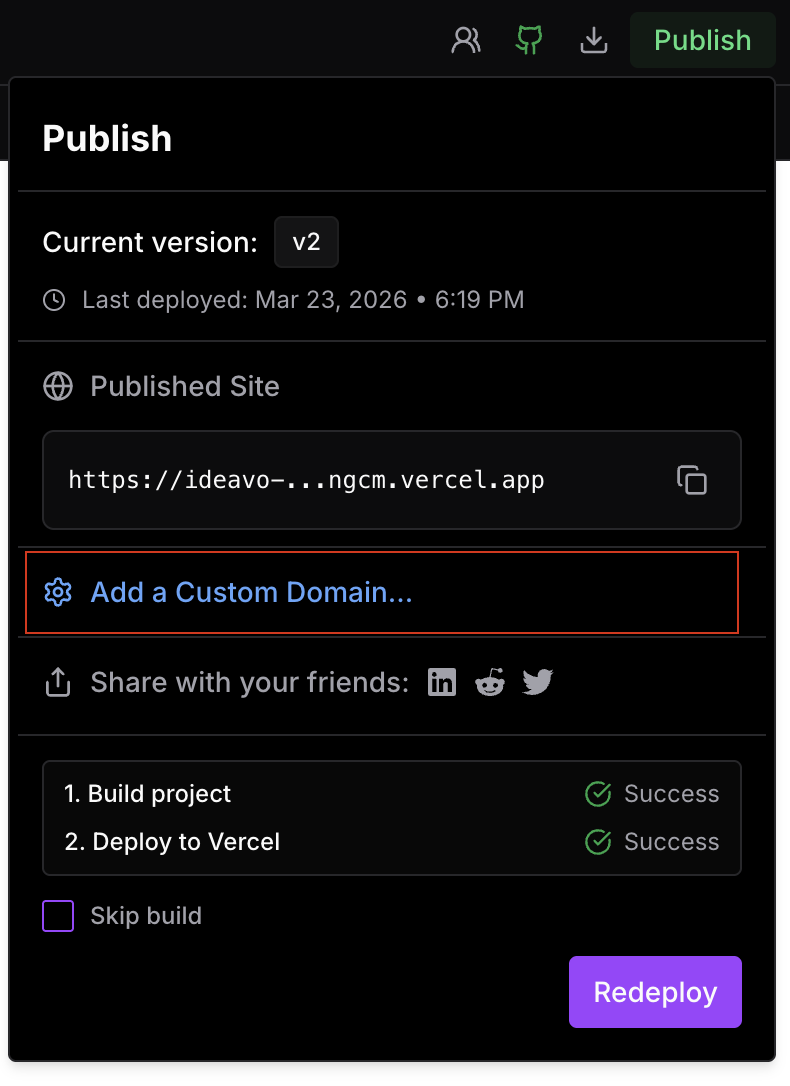
Adding a Domain
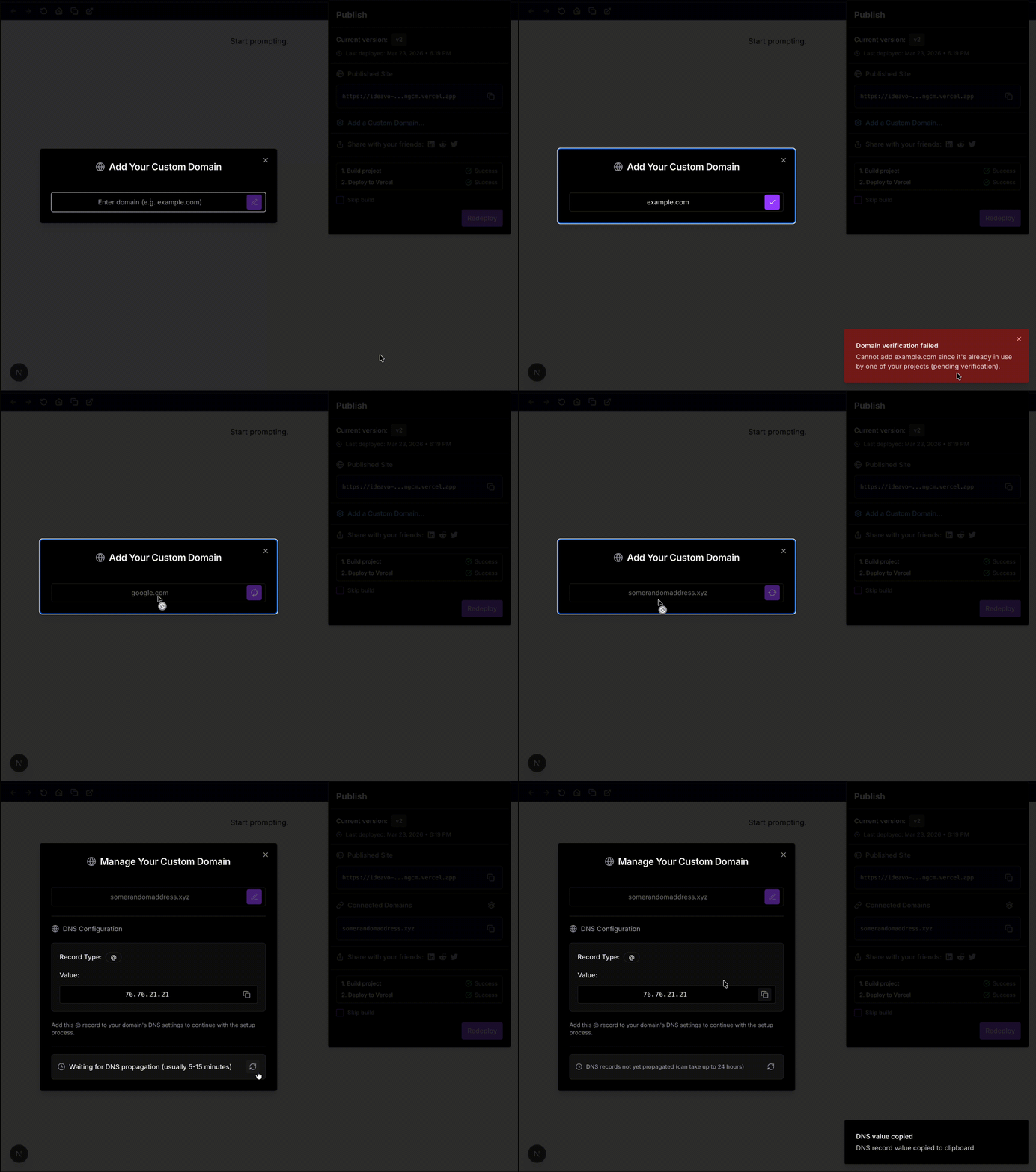
Enter your domain (e.g. example.com) in the input field and confirm.
If the domain is available, it gets added and the provider's required DNS record type, name, and value are shown in the same dialog.
Domain Check Results
Before adding the domain, Ideavo verifies it against your active publish provider. There are three possible outcomes:
Domain unavailable
The domain cannot be attached to this deployment. It may already be connected to another project or provider account. Remove it from the existing project or account before trying again.
DNS setup required
The domain was accepted, but DNS still needs to be configured. Add the provider-required records shown in Ideavo to your DNS provider, then check status again.
Domain added successfully
The domain is available and gets attached to your deployment. Ideavo shows the DNS values returned by the active provider so you can configure DNS right away.
DNS Configuration
After the domain is added, configure it with your DNS provider using the values shown in the dialog. The exact record type depends on the publish provider and domain:
| Field | Value |
|---|---|
| Type | Returned by the active provider, such as CNAME or TXT |
| Name | Returned by the active provider, often @ or a subdomain |
| Value | Returned by the active provider after the domain is added |
Once the record is saved with your DNS provider, click Check Status in the dialog to confirm propagation. DNS changes can take anywhere from a few minutes to 48 hours depending on your provider.
DNS propagation time varies by provider. If the status check fails, wait a few minutes and try again before making any changes.