

Import from GitHub
Import any existing GitHub repository into Ideavo and pick up right where you left off — no manual configuration required.
Import existing GitHub projects directly into Ideavo. The agent detects your stack, configures your environment, and gets you building in minutes — without touching a config file.
Before You Import
A few things worth knowing before you start:
- Public and private repositories are both supported
- Organization repositories are available if you've granted Ideavo access to that org during GitHub authorization
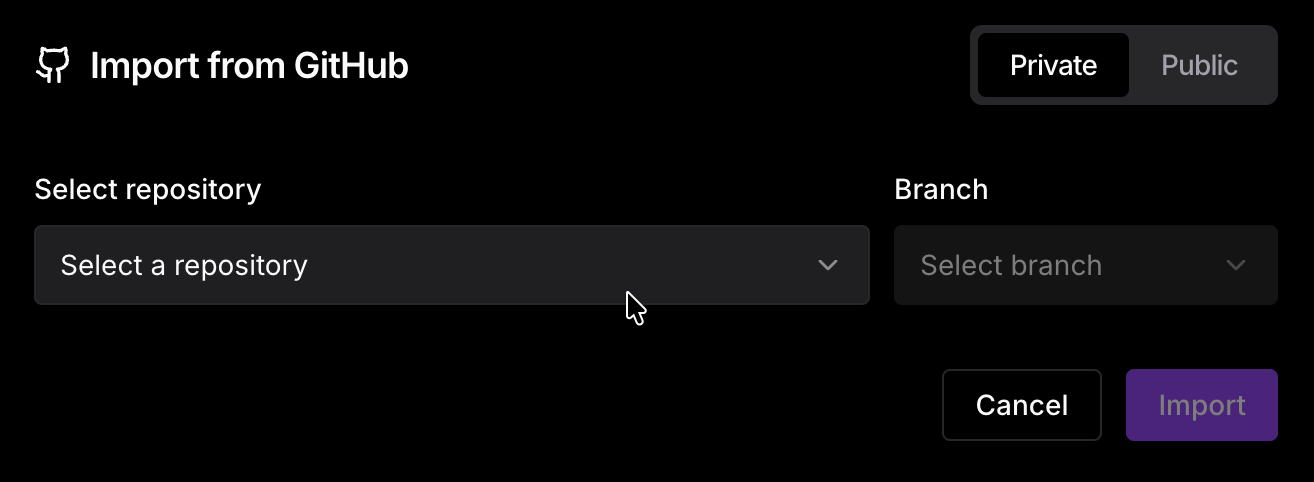
- Branch selection — you choose which branch to import. Ideavo tracks that branch going forward; pushing and pulling targets it by default
- Import stays linked — importing doesn't create a detached copy. Your project remains connected to the GitHub repository, and you can push and pull changes as you would with any linked project
How to Import
Click the Import button on the home page.

Connect your GitHub account if you haven't already. You'll be prompted to authorize Ideavo and grant repository access.
Select the repository and branch you want to import.
What Ideavo Sets Up
Once the import completes, the agent takes over and prepares your project automatically:
- Stack detection — Ideavo analyzes your repository and identifies the framework, language, and tooling in use
- Workflow configuration — your Workflow is pre-configured based on the detected stack, including install, build, and run commands
- Ready to build — once setup is complete, you can start prompting the agent or editing code directly in the IDE
If the auto-detected Workflow doesn't match your setup exactly, you can edit it at any time from the Workflow panel without affecting your code.
FAQ
GitHub Integration
Connect your Ideavo project to GitHub for full version control, branch management, and deployment flexibility.
MCP (Model Context Protocol)
Connect the Ideavo agent to external tools, databases, and services using the open MCP standard — enabling real-world actions beyond code generation.