

IDE
A full-featured VS Code experience directly in your browser — no local setup or environment configuration required.
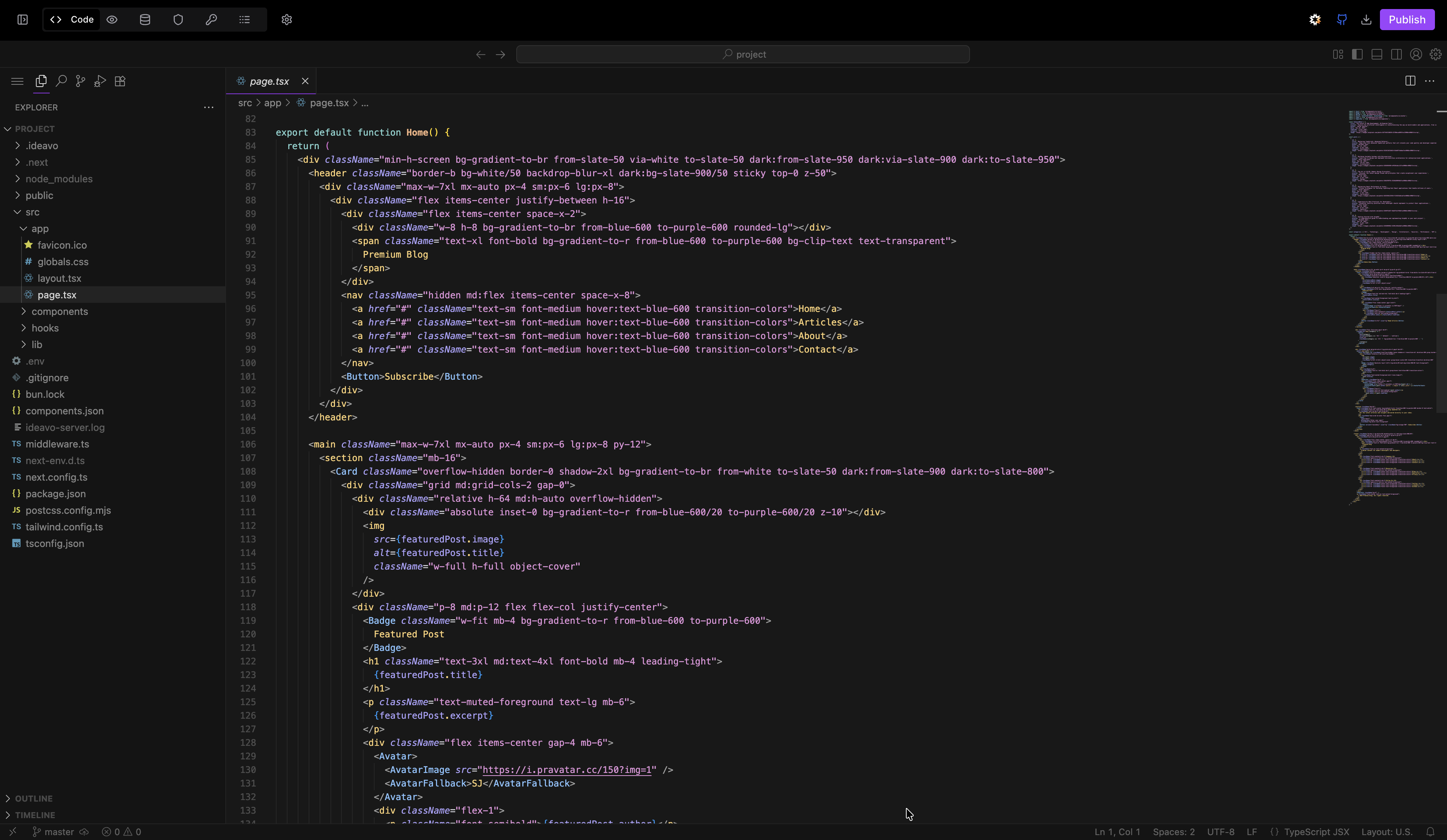
Ideavo includes a full VS Code environment that runs entirely in your browser. Write, navigate, and manage your code with the same tools and workflows you already know — without installing anything locally.
What's Inside
Multi-File Editing
Open multiple files simultaneously with tabs and split-view for side-by-side editing and comparison.
Code Navigation
Go to Definition, Find All References, Peek Definition, and symbol search — navigate any codebase with precision.
Integrated Terminal
Run commands, scripts, and builds without leaving the editor. Multiple terminal instances supported.
Git & Version Control
Stage, commit, and manage branches directly from the IDE. Pairs with the GitHub integration for full version control.
Working in the IDE
Command Palette
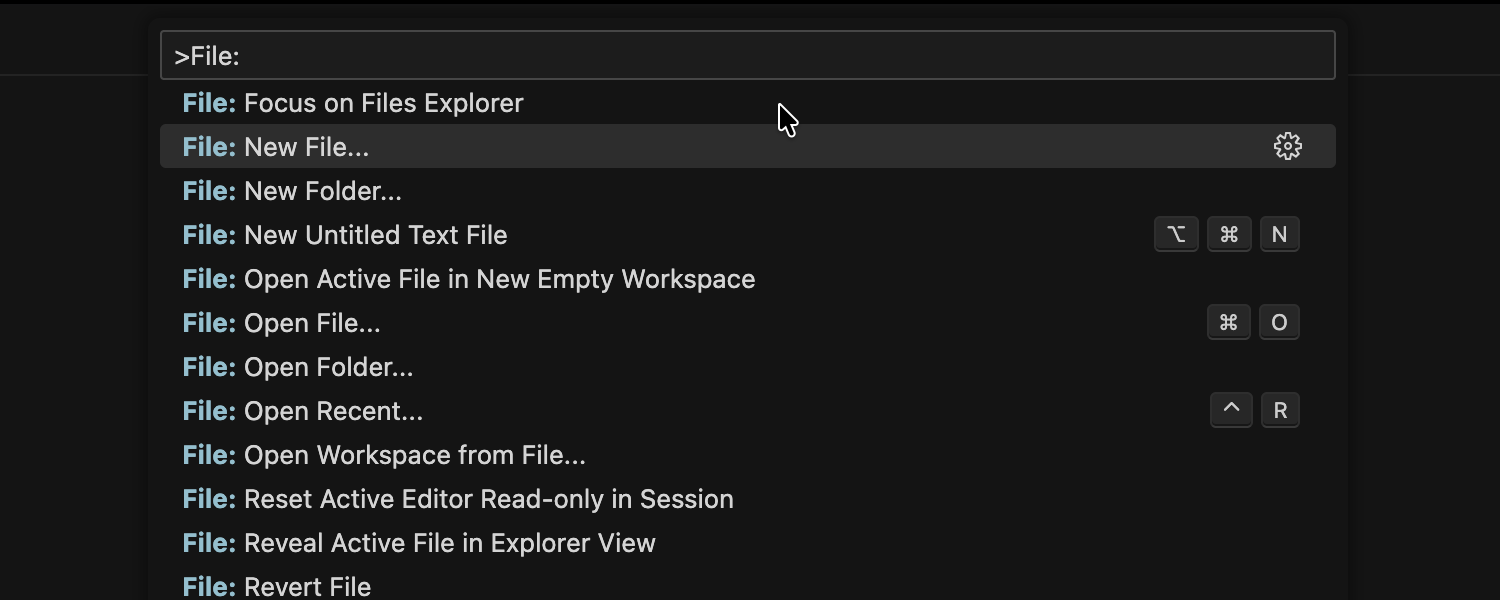
The Command Palette gives you instant access to every IDE function without navigating menus.
- Press
Cmd+Shift+Pon Mac orCtrl+Shift+Pon Windows/Linux to open it - Search and run any command by name
- View and reassign keyboard shortcuts
File Explorer
The file explorer lets you browse and manage your entire project structure from the sidebar:
- Create, rename, move, and delete files and folders
- Drag-and-drop reorganization
- Right-click context menus for quick actions
- Expandable folder tree for deep project structures
IntelliSense & Code Completion
As you type, the IDE surfaces completions, parameter hints, and inline documentation pulled from language servers.
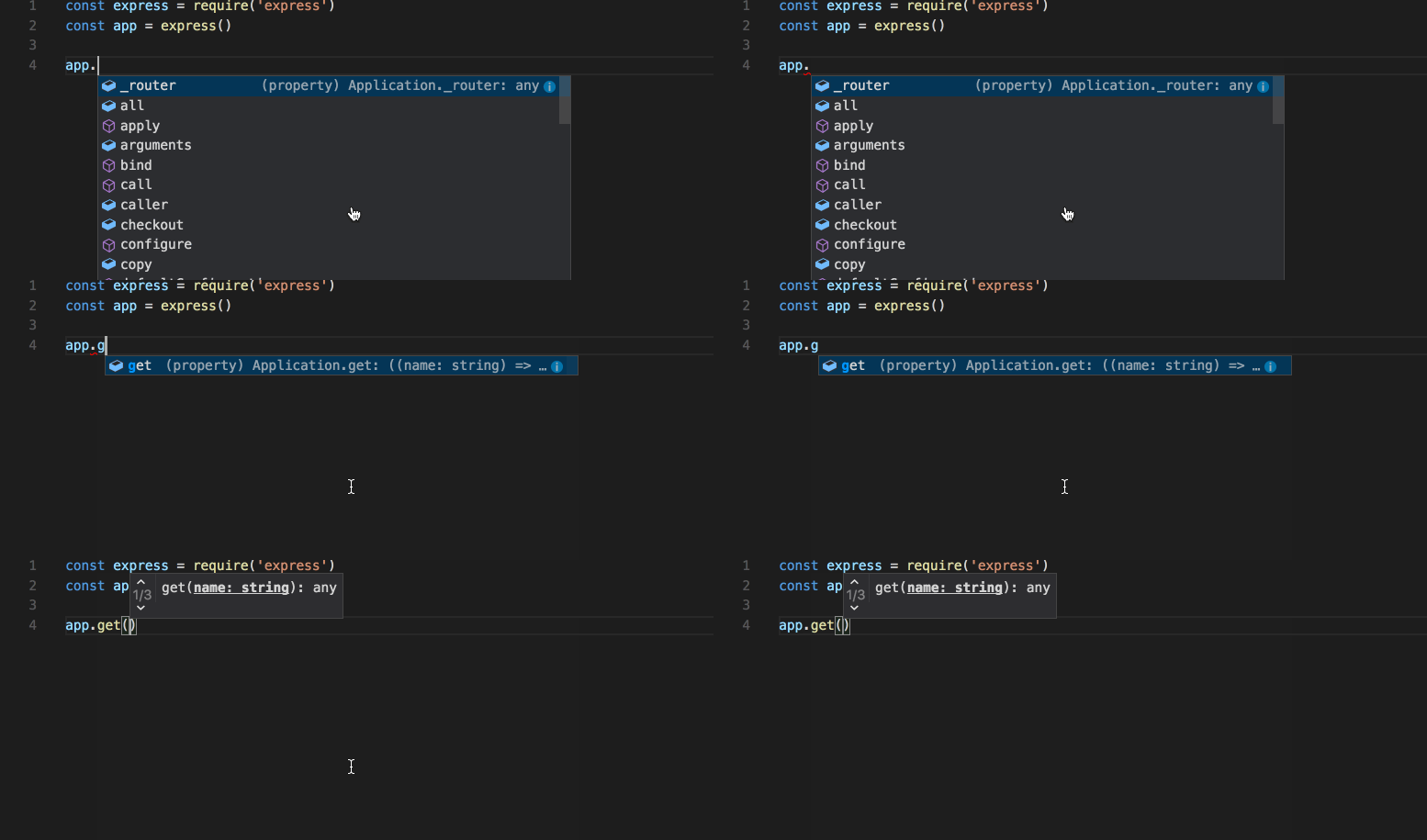
Errors and warnings are highlighted inline as you write — no need to run a build to catch mistakes.
Integrated Terminal
A full terminal is available directly inside the IDE. Use it to run build commands, install packages, execute scripts, or interact with your project environment — all without leaving the editor.
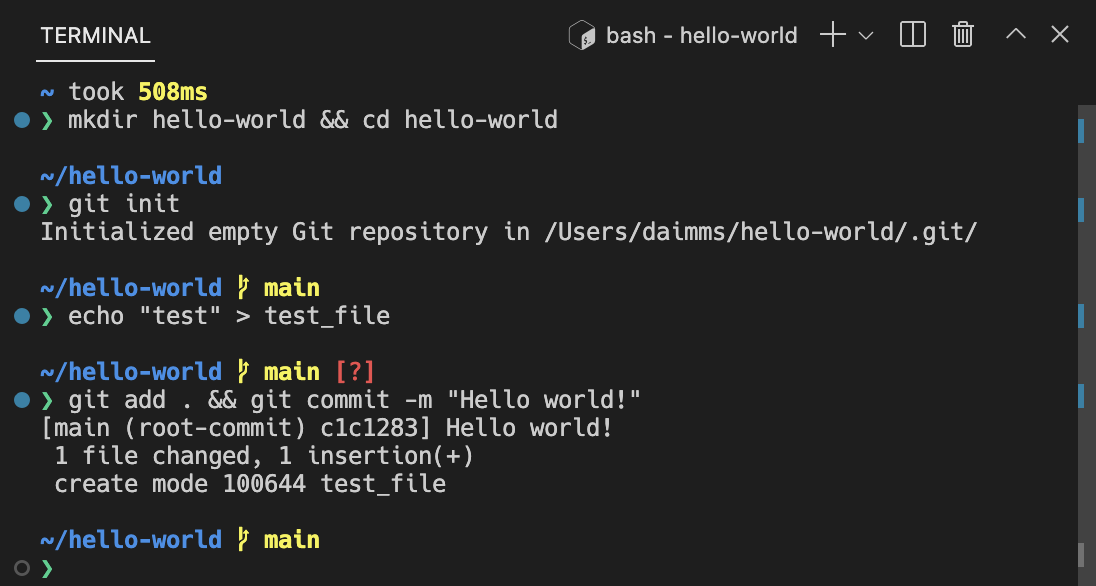
You can open multiple terminal instances in parallel for running separate processes side by side.
Git & Version Control
The IDE includes built-in source control for staging, committing, and reviewing changes with diff visualization.
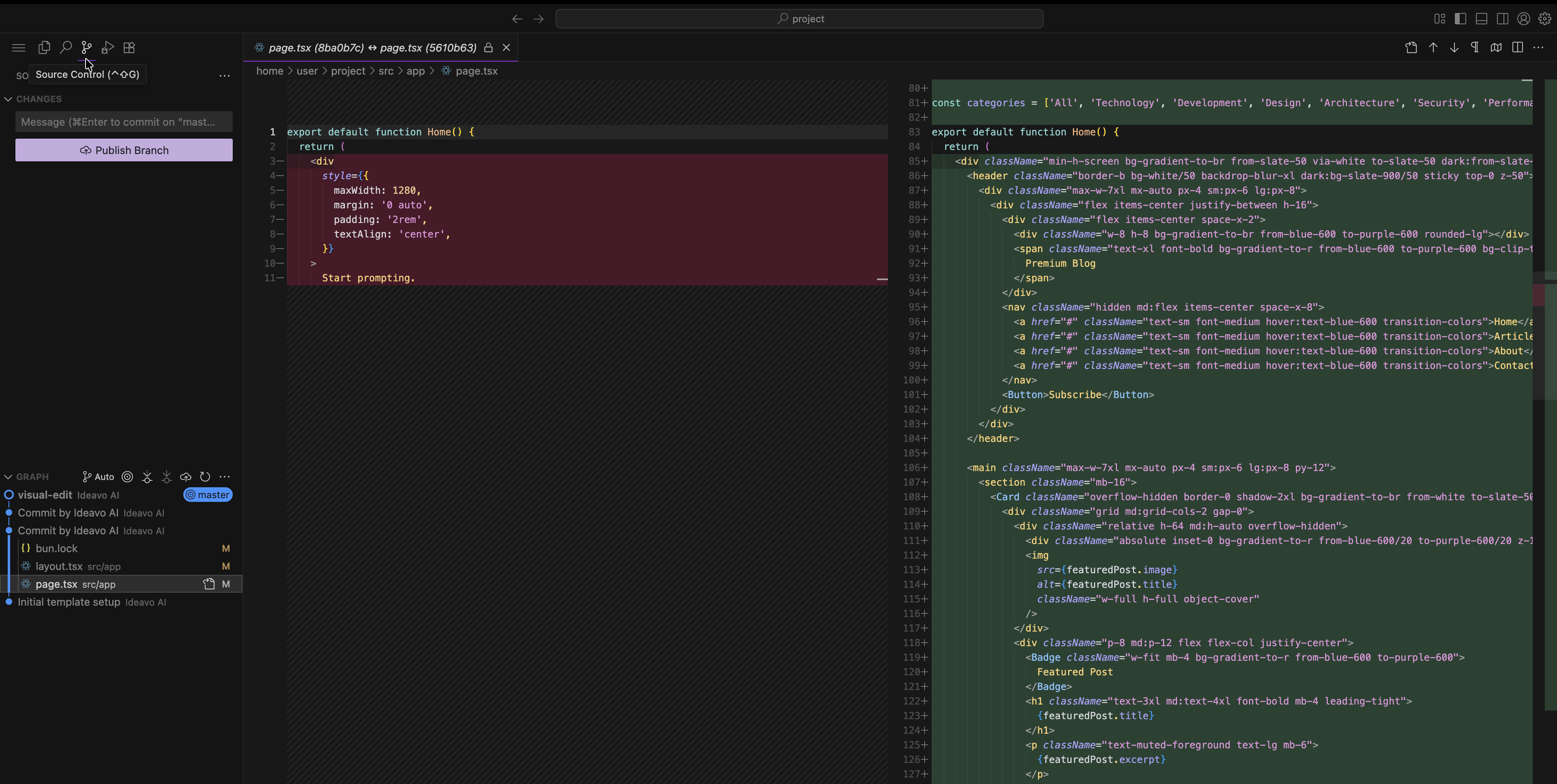
For push, pull, and branch management, use the GitHub integration — changes made in the IDE stay in sync with it automatically.
Branch switching and new branch creation can also be done directly from the IDE without opening the GitHub component. See GitHub Integration for the full picture.
Language Support
The IDE comes pre-configured for the most common stacks — no extension hunting required:
- JavaScript & TypeScript — full type checking, import resolution, and JSX support
- React, Vue, Angular — framework-aware completions and component navigation
- Python — linting, formatting, and environment support
- HTML, CSS, SCSS — preprocessor support included
- JSON, YAML, Markdown — schema validation and formatting for config files
Browser-Based, No Setup Needed
| Traditional Local Environment | Ideavo IDE |
|---|---|
| Install VS Code locally | Runs in your browser |
| Manual dependency and env setup | Pre-configured and ready |
| Environment drift across machines | Consistent for every team member |
| Risk of losing unsaved local work | Changes are saved automatically |